How Area Works
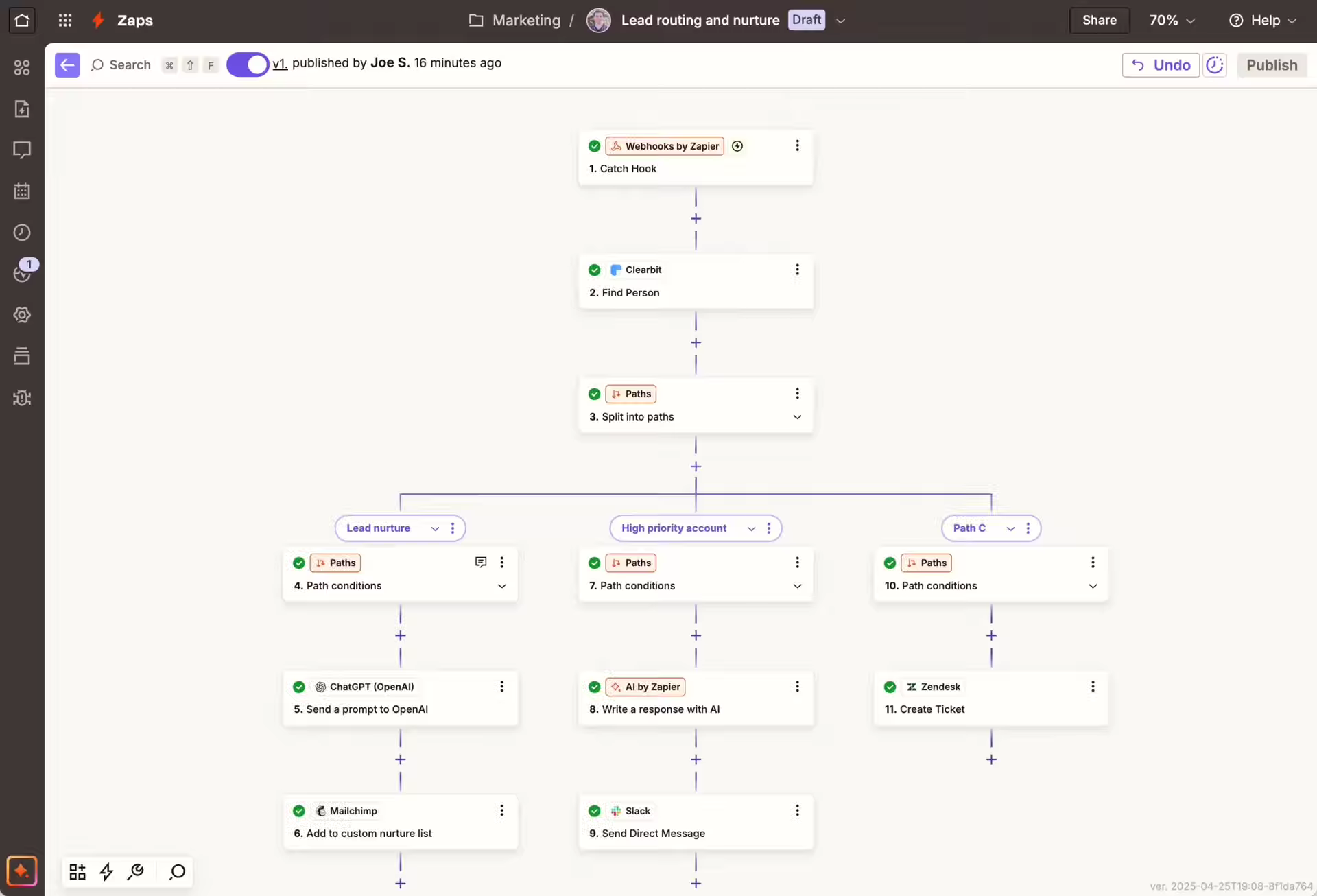
Area connects your apps and automates your workflows. It's simple, powerful, and requires zero coding knowledge.
1. Choose a Trigger
An event that starts your automation. Like a new email in Gmail or a new lead in your CRM.
2. Set an Action
The event that happens automatically. Like sending a Slack message or creating a Trello card.
3. Turn it On
Once your Zap is active, it runs automatically 24/7, so you can focus on what matters.
What is a Trigger?
A trigger is the event that starts your automation. Think of it as the "When this happens" part of your workflow. You can choose from hundreds of apps and thousands of events.
- New email in Gmail
- New lead in Salesforce
- New file in Dropbox
- New mention on Twitter

What is an Action?
An action is the event that Area performs automatically after your trigger occurs. It's the "Do this" part of your workflow. You can even chain multiple actions together.
- Send a Slack message
- Create a Trello card
- Update a Google Sheet
- Post to Instagram
Ready to save time?
Join thousands of users who are already automating their work with Area. Start your first Zap in less than 2 minutes.